
How to Choose an RFID Locker System for Your Business?

Choosing an RFID Locker System is not just a hardware decision. It shapes how people collect packages, manage shared equipment, and resolve everyday access problems. A locker that looks impressive in a showroom may feel frustrating when a courier is waiting, a badge fails, or a compartment is too small for the item.

For this introduction, Dana Holt is a fictional composite representing experienced RFID integration practitioners; the quotation below is original, not a sourced statement. “A good locker system makes the secure choice the easy choice.” That idea offers a practical starting point. Consider who will use the lockers, how often they will open them, and what happens when a network connection drops. Small details matter.

Look closely at credential options, locker sizes, software integration, reporting, support, and expansion costs. Ask vendors to demonstrate a real workflow, from assigning a locker to handling an unclaimed delivery. Watch the screen. Test a badge. Check the door.

Then compare the system with your space and operating routines. A busy office, university, or distribution site may need different access rules and compartment layouts. Do not assume every feature is useful. Some decisions will still involve trade-offs, and an early estimate may miss future service needs. That is worth revisiting before purchase.

The sections that follow outline how to assess these factors, ask sharper vendor questions, and choose an RFID Locker System that fits your business—not just its brochure.
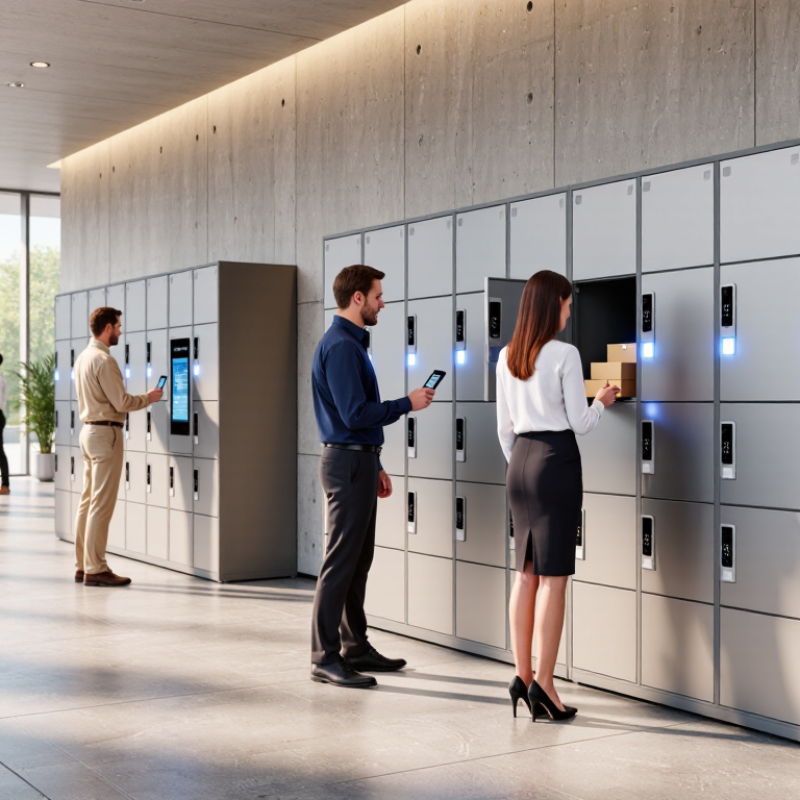
How to Choose an RFID Locker System for Your Business?

What an RFID Locker System Is and How It Works

An RFID locker system uses radio-frequency identification to connect users, credentials, and individual locker doors. A typical setup includes lockers fitted with electronic locks, an RFID reader, and management software. Users present a card, badge, or key fob near the reader. The system checks its identifier against assigned permissions, then releases an available locker or the user’s designated compartment. No metal key is needed. The exact steps vary by configuration.

Behind the door, a controller records events such as access time and locker number. Administrators can use this information to assign spaces, change access rights, and review activity. Some systems connect to an existing staff directory, while others operate independently. A reader may beep and show a green light when access is approved; a red light signals a denied request. Small details matter. Metal surfaces and reader placement can affect signal performance, so testing the actual installation is more useful than relying only on a product sheet. RFID also does not make access management automatic: lost credentials still need prompt deactivation, and unclear assignment rules can frustrate users. That part is easy to underestimate. A practical evaluation should include daily user routines, network reliability, and what happens during a power or connection failure.

Which Business Needs Should Guide Your System Choice

An RFID locker system should solve a real workflow problem, not simply add touchscreens to a wall. Start by identifying who needs access, when they need it, and what they store. A busy clinic may need staff to collect shared devices between shifts. A distribution office may need secure, after-hours parcel pickup. Different routines call for different locker sizes, access rules, and collection times. Watch the actual handoff process for a week. Assumptions can be wrong.

Estimate daily transactions and peak periods, not just the average. If thirty employees collect equipment within ten minutes, slow check-in steps can create a queue. Consider whether users need badges, mobile credentials, or both. Check that the system can record deposits, pickups, and overdue items in a way managers can review. Useful records. Also ask who will update user permissions when staff change roles, and how the system behaves during a network interruption.

The physical setting matters too. Measure the available wall space, power access, and clearance for doors before selecting compartments. Match locker dimensions to the items people actually carry; oversized compartments waste capacity, while narrow ones frustrate users. Plan for cleaning, repairs, and future demand. A small pilot can reveal problems that a proposal misses, such as confusing instructions or a poorly placed screen. Some needs will remain uncertain. Document them, then test the system against real working patterns before expanding.

How to Choose an RFID Locker System for Your Business? — Which Business Needs Should Guide Your System Choice

Business need Typical usage pattern RFID locker capabilities to prioritize Planning guidance Key questions before selection
Employee belongings Many employees use lockers during shifts, often with daily assignment changes. Fast badge or card access, simple self-service assignment, clear occupancy status, and administrator controls. Estimate peak simultaneous occupancy, not just total headcount. Include space for bags, coats, and personal protective equipment where needed. Can staff use existing access credentials? How are forgotten items, lost credentials, and unclaimed lockers handled?
Tools and shared equipment Items are checked out and returned by multiple users, with a need to know who had access and when. User-linked access logs, item-level RFID identification where suitable, return confirmation, and alerts for overdue or missing items. Confirm that tagged items fit within compartments and that the chosen RFID setup can reliably read the intended tags in the actual locker environment. Do you need to track access to a compartment, the specific item inside it, or both? What is the process for damaged or unreturned equipment?
IT devices and mobile equipment Laptops, tablets, radios, or other devices are distributed, returned, or stored between shifts. Access permissions, transaction history, configurable compartments, and charging provisions where devices must charge while stored. Check device dimensions, ventilation, power capacity, cable management, and electrical safety requirements before specifying charging lockers. Are devices assigned to individuals or shared? Should access records connect to an existing identity or asset-management system?
Uniforms and workwear Garments are issued, exchanged, or collected regularly, sometimes across multiple shifts or locations. User authentication, item or compartment tracking as required, replenishment reporting, and integration options for workforce or inventory processes. Allow for garment size, return capacity, laundry workflow, and the time required to restock compartments. Is the main goal controlled distribution, proof of return, inventory visibility, or a combination of these?
Deliveries and parcel pickup Packages are placed in compartments for later collection by employees, tenants, or customers. Recipient notifications, one-time or time-limited pickup access, delivery records, and compartments in several sizes. Use delivery volume and package dimensions to plan capacity. Include a procedure for oversized, damaged, or uncollected parcels. Who can deposit packages? How are recipients notified, and how long may parcels remain before escalation?
Visitor or contractor access Temporary users need limited access during a visit, service call, or short-term assignment. Temporary credentials, configurable access periods, audit records, and a straightforward check-in and credential-revocation process. Plan for credential issuance, visitor support, and access removal when a visit ends or a credential is lost. Can temporary access be granted without creating a permanent user account? Who is responsible for issuing and disabling credentials?
Multiple sites or departments Different locations or teams need consistent rules, with local administration and centralized oversight. Role-based administration, centralized reporting, location-level settings, and documented integration and data-export options. Standardize policies where possible while checking local network, power, space, and operating requirements at each site. Which reports are needed across sites? What happens to access and records during network or system outages?
Auditability and controlled access The business needs traceable access, defined permissions, and consistent procedures for sensitive or valuable items. Individual authentication, tamper-aware event records where available, permission management, and retention settings aligned with company policy. Define who may view records, how long they are retained, and how exceptions are reviewed. Assess privacy and security requirements before deployment. Which events must be recorded? How are administrator actions protected, and can records be exported for review?

Selection note: Match the system to the items being stored, the users and access rules, the expected peak demand, and the required integrations. Validate compartment dimensions, RFID read performance, network availability, and operating procedures in a representative environment before deployment.

How to Compare RFID Readers, Locks, and Locker Designs

How to Choose an RFID Locker System for Your Business?
How to Compare RFID Readers, Locks, and Locker Designs

Choosing a locker system starts with the handoff: who needs access, where, and how often? Compare reader options by read distance, credential type, and performance near metal doors. A reader that works well in a test room may struggle beside a crowded entrance. Check whether it supports cards, mobile credentials, or both. Then test lock response, emergency access, and what happens during a power or network interruption. The 2023 RFID Forecast report from IDTechEx tracks continued growth in RFID adoption across industries, but market growth alone does not guarantee a good fit for your site.

Locker design matters just as much. Measure the actual items people store: a parcel, a helmet, and a laptop need different compartment sizes. Look for durable hinges, clear status indicators, and doors that close without slamming. For shared spaces, modular lockers can make repairs and layout changes simpler. Ask suppliers to demonstrate the complete access sequence, from credential tap to door release. A perfect read rate on paper is not the same as a smooth Monday morning.

Tips: Test several credentials at peak times, with doors closed and nearby lockers occupied. Record failed reads and opening delays. Leave room for wiring and maintenance; we often underestimate both. Choose the simplest design that meets your real usage needs, not every feature on a spec sheet.

How to Choose an RFID Locker System for Your Business

Compare common RFID reader approaches using practical selection criteria. Scores are illustrative planning ratings (1 = lower fit, 5 = higher fit), not measured product test results.

HF/NFC readers are often suited to deliberate, close-range user interactions; UHF readers can support longer-range or multiple-tag detection, but may require more tuning to control read zones. Evaluate reader choice alongside lock compatibility, locker materials, installation, and your access workflow.

How to Assess Software, Security, and Integration Requirements

How to Choose an RFID Locker System for Your Business?

How to Assess Software, Security, and Integration Requirements

Start with the workflow, not the reader. Map who can assign, open, and audit each compartment, including temporary staff and failed deliveries. Ask whether permissions can be limited by role and time, and whether administrators can revoke access immediately. Small detail, big impact. The 2024 Data Breach Investigations Report found that the human element was involved in 68% of breaches. That figure is a reminder to review account controls, staff training, and audit logs together, rather than treating RFID credentials as sufficient security.

Check what the software records: credential use, door status, overrides, and system errors. Can managers export logs in a usable format? Are alerts sent when a door stays open, or when repeated access attempts fail? Test these cases in a live demonstration. A polished dashboard can hide awkward handoffs. It can happen. For integration, document how the locker system exchanges data with identity management, parcel workflows, and existing access controls. The NIST Cybersecurity Framework 2.0 recommends identifying and managing technology risks across an organization; use that lens to clarify ownership, incident response, and vendor access before deployment.

Finally, assess reliability under everyday conditions: network outages, power loss, and misplaced credentials. Confirm which functions work offline and how activity syncs after service returns. Request a clear retention policy and encryption details for data in transit and at rest. Do not assume. Ask for a pilot with real users and real traffic, then record the exceptions. A few rough edges may surface. Better during testing than during a busy shift.

How to Plan Deployment, Support, and Long-Term Costs

Choosing an RFID locker system means planning beyond the purchase price. Map the user journey at the actual site: a courier scans a parcel, a recipient receives a notification, and an access event is logged. Count daily deliveries, peak-hour demand, locker doors, and nearby power or network connections. Small details matter. A poorly placed reader can create missed scans and support calls.

Budget for installation, software, tags, network changes, staff training, and ongoing service. Zebra Technologies’ 2023 Warehousing Vision Study reported that 87% of surveyed decision-makers planned to increase technology investment over five years. That finding covers warehousing broadly, not lockers specifically, but it signals the importance of budgeting for connected operations. Ask suppliers to separate recurring fees from one-time costs, and request realistic estimates for battery replacement, repairs, and software updates. Test a small deployment first. Real sites are messy.

Set support expectations before rollout: define response times, escalation contacts, data access, and who checks failed transactions. Track unlock success, average collection time, and service tickets during the pilot. Review results after several weeks, then adjust locker capacity or placement. One uncomfortable lesson: teams may underestimate training time. Include a simple handover guide and a named internal owner, even if the workflow seems obvious.

Blogs