
How to Choose the Best Mobile POS Systems for Your Business?

Choosing among the best mobile pos systems is not just a software comparison. It is a decision about how work moves through your business. A café may need quick counter service and clear kitchen tickets. A market stall may need reliable payments when Wi-Fi drops. A service team may care more about receipts, customer records, and easy setup. The right fit depends on real conditions, not a feature list alone.

Technology leader Steve Jobs once said, “You’ve got to start with the customer experience and work back toward the technology—not the other way around.” That principle fits mobile POS decisions well. Look at how staff take orders, accept payments, handle refunds, and close the register. Then check whether a system supports those steps on the devices you already use. Test screen readability under bright light. Check battery life during a busy shift. Ask how support works when a printer stops responding.

Small details count.

This guide will compare the features that matter, from payment options and inventory tools to pricing, integrations, and offline access. It will also consider setup time and staff training, since a powerful system can still frustrate a team. No checklist can predict every problem. A trial run may reveal more than a polished demo. Use the sections ahead to narrow your options, test them against daily tasks, and choose a system that works for your business—not just one that looks impressive on paper.
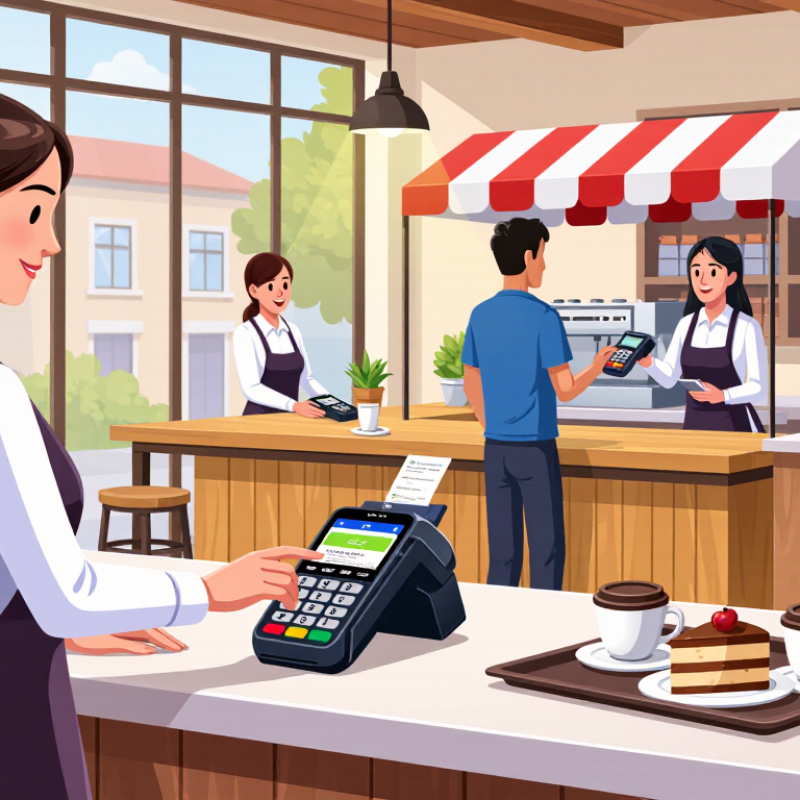
How to Choose the Best Mobile POS Systems for Your Business?

Define Your Business Needs and Mobile Sales Workflow

Before comparing mobile POS systems, map how customers actually pay. A café may need staff to take orders beside the table, send them to a kitchen printer, and split a bill at checkout. A market stall may need quick item entry, tap-to-pay, and clear receipts in a crowded space. Start at the counter. Note busy periods, average transaction size, internet dead zones, and who handles refunds or end-of-day checks. These details help separate essential features from attractive extras.

Tips: Walk through one real sale from greeting to receipt. Test the system with your usual device, payment method, and a weak Wi-Fi connection. Keep it simple. Ask staff where delays happen; their answers may reveal a workflow you had not considered.

Then match system capabilities to each step. Check whether the interface supports your product list, tax settings, staff permissions, inventory updates, and offline transactions if your connection drops. Confirm how transactions sync once service returns, and review processing fees and support availability before committing. A feature list can look convincing, but it may not reflect the pace of a Saturday rush. Test it live. One small trial can expose awkward screen layouts or extra taps. Revisit your assumptions after a week; real use often changes what matters most.

Identify Essential Mobile POS Features and Hardware

Choosing a mobile POS begins with the tasks staff perform away from a counter. Look for quick item search, simple modifiers, split payments, and clear tax settings. If the system tracks stock, check whether sales update quantities promptly across devices. Useful reports should show more than total revenue; staff may need to compare busy hours, popular items, and refunds. Offline support can keep orders moving during a brief connection outage, but confirm which functions remain available and how transactions sync later.

Hardware should match the setting. A compact phone may suit table-side orders, while a larger tablet can make menus easier to read in bright light. Pair it with a payment reader that feels secure in hand and connects reliably. A barcode scanner helps with packaged goods; a receipt printer may matter when customers need paper copies. Check battery life, charging options, Wi-Fi coverage, and whether cases or stands survive daily handling. Small details matter.

Test the full setup during a realistic shift, not just a quiet demonstration. Enter a customized order, take payment, print a receipt, and check the stock count. Notice where staff hesitate. A feature list can look impressive, yet cluttered screens slow service. I would also leave room for uncertainty: actual battery life and wireless performance vary with workload and location. Choose equipment that can be replaced or expanded without rebuilding the entire checkout process.

How to Choose the Best Mobile POS Systems for Your Business? — Essential Features and Hardware

Feature or Hardware What to Look For Why It Matters Best Fit Priority
Mobile device A supported phone or tablet with a bright, responsive touchscreen and a case suited to the work environment. The device is the main interface for taking orders, entering items, and completing sales. All businesses using a mobile checkout Essential
Payment acceptance Support for the payment methods customers use, such as contactless cards, chip cards, and mobile wallets. Different payment methods require compatible payment hardware and a supported payment service. Retail, hospitality, markets, and mobile services Essential
Payment reader A reader that supports the required card-present methods and connects reliably to the mobile device. Card-reading capability depends on the reader, software, payment provider, and regional requirements. Businesses taking in-person card payments Essential for card payments
Connectivity Reliable Wi-Fi, cellular data, or both; check coverage where transactions will take place. Many POS functions rely on a network connection to process payments or synchronize information. Pop-ups, delivery, events, and businesses with multiple selling areas Essential
Offline operation Clear information about which functions work without internet access and how queued data is handled. Offline payment availability and rules vary by system, payment method, and provider. Queued payments may carry additional risk. Markets, outdoor sales, and locations with unreliable coverage Conditional
Battery and charging Battery capacity suitable for the longest expected shift, plus a practical charging plan or spare power source. Battery life varies with device, screen brightness, connectivity, and attached peripherals. Events, table-side service, and field sales Essential for mobile use
Barcode scanner An integrated or paired scanner that reads the barcode types used on your products. Scanning can speed up item entry and reduce manual lookup, especially with larger inventories. Retailers with many barcoded products Useful where needed
Receipt printing Compatibility with a portable or countertop receipt printer, if printed receipts are required. Digital receipts may be sufficient for some customers, while printed receipts can suit busy counters or specific workflows. Retail, food service, and businesses that issue paper receipts Optional
Cash drawer A compatible drawer and printer or connection setup when cash is accepted at a fixed checkout point. A drawer supports organized cash handling but may not be practical for fully mobile transactions. Stores and food-service counters that accept cash Optional
Inventory and item management Item lookup, price and tax settings, stock tracking, and updates that fit the size of your catalog. Accurate product records help staff ring up sales consistently and monitor stock. Retailers and businesses with changing product lists Essential for product sales
Security and access controls Individual staff access, role-based permissions, device security, and a payment setup designed to protect card data. Limit access to business functions and reduce unnecessary exposure of sensitive information. Businesses with employees or multiple devices Essential
Reporting and synchronization Sales reports and dependable syncing between devices or locations, where required. Timely, consistent records help owners review sales and reconcile activity across the business. Growing businesses and multi-location operations Recommended
Setup and ongoing cost Compare device, reader, accessories, software, payment processing, and support costs before committing. The total cost depends on the equipment and services needed, not only the initial device price. All businesses comparing options Essential to assess

Selection tip: List your payment methods, selling locations, internet reliability, receipt needs, and busiest-day volume first. Then confirm device and accessory compatibility, offline limitations, security responsibilities, and total costs with the provider.

Compare Payment Options, Integrations, and Security

A mobile POS should fit how customers actually pay, not just the methods listed on a feature page. Check whether it accepts chip cards, contactless wallets, and keyed entry when appropriate. Ask how refunds, tips, partial payments, and offline transactions work. Test a sale and refund on the device your staff will carry. Small details matter. A checkout that pauses while staff search for a setting can frustrate a queue.

Compare fees for in-person and manually entered transactions, then confirm when funds reach your account. Payment flexibility is useful, but too many checkout choices can slow training. Integrations deserve the same scrutiny. A POS connected to inventory or accounting tools can reduce duplicate entry, yet poorly synchronized records create new errors. Verify what data moves, how often it updates, and who handles failed syncs. A test sale can reveal gaps before launch.

Security should be practical and visible. Look for encrypted transactions, individual logins, role-based permissions, and clear steps for lost devices. Require screen locks and timely software updates; avoid shared staff codes where possible. Ask how transaction records are protected and what support is available after suspected account access. A secure setup still depends on people. Training can slip during a busy season, and that is worth admitting. Review access regularly, not only after an employee leaves.

Evaluate Pricing, Support, and Scalability

Choosing the best mobile POS system means comparing its full cost, support, and room to grow. Check transaction fees, monthly software charges, hardware costs, and fees for integrations or offline processing. Ask for a sample invoice based on your typical sales volume. A low monthly fee can hide expensive add-ons.

Support matters when a reader stops connecting during a busy lunch rush. The Federal Reserve’s 2024 Diary of Consumer Payment Choice reports that consumers made an average of 45 payments per month in 2023. That steady payment activity makes reliable checkout important. Check support hours, response targets, and whether help is available by phone. For scalability, confirm the system can add terminals, staff accounts, and locations without forcing a costly migration. Test how it handles weak Wi-Fi. Growth forecasts can be wrong, but your next step should not be a system replacement.

Tips: Run a short pilot during a real shift. Track checkout time, failed transactions, and support response. Keep the results; memory is a poor spreadsheet.

Test Shortlisted Systems Before Making a Selection

Before choosing a mobile POS, put each shortlisted system through a realistic shift, not just a polished sales demo. The Federal Reserve’s 2024 Diary of Consumer Payment Choice reports that U.S. consumers used credit cards for 32% of payments in 2023, debit cards for 30%, and cash for 16%. Treat these figures as a testing prompt, not a prediction for your shop. Ring up each payment type, issue a refund, and check that receipts and daily totals agree.

Create a mock rush at the counter. Add several items, apply a discount, split a payment, and send a receipt by text or email. Test it live. Then repeat after briefly disconnecting Wi-Fi, and confirm the system clearly shows whether a payment succeeded or needs attention. Check how quickly sales and inventory updates appear on another device. A few seconds of delay may matter when shelves are busy.

Ask employees who did not attend the demo to try the same tasks. Watch where they pause. My checklist can still miss the awkward details, like a stand blocking the card reader or a receipt arriving late. Keep notes on setup time, mistakes, and support response; those observations are more useful than a feature list alone.

Blogs