China Best Used Wireless Network Analyzer for Global Buyers
Choosing the right Used Wireless Network Analyzer can feel difficult for global buyers. Specifications often look impressive, yet field performance may tell a different story. This guide examines China-sourced instruments for wireless testing, maintenance, and engineering evaluation. It focuses on practical value, measurement reliability, and purchasing confidence. Experienced technicians usually inspect frequency coverage, modulation support, dynamic range, calibration records, and software compatibility. These details matter on a crowded workbench or inside a noisy production facility. A clear display helps. Stable battery performance matters too.
Condition varies between suppliers.
Professional buyers should request serial numbers, detailed photographs, test reports, and recent calibration evidence. They should also confirm whether accessories include suitable probes, chargers, cables, and carrying cases. A lower price is not always a lower total cost. Missing licenses or outdated firmware may create unexpected delays. I have found that careful verification prevents many avoidable disputes, although no inspection method removes every risk. Product descriptions can be incomplete. That deserves attention. Reputable sellers should explain cosmetic wear, repair history, measurement limitations, and return terms without vague promises. Independent testing is valuable when the analyzer supports sensitive network troubleshooting or compliance-related work. Buyers must also consider local import requirements, electrical standards, warranty service, and technical support availability. This overview helps compare trusted options in China while keeping expectations realistic. The best choice is not simply the newest model. It is the instrument that delivers dependable results, documented condition, and useful support across its working life. Good decisions require evidence.
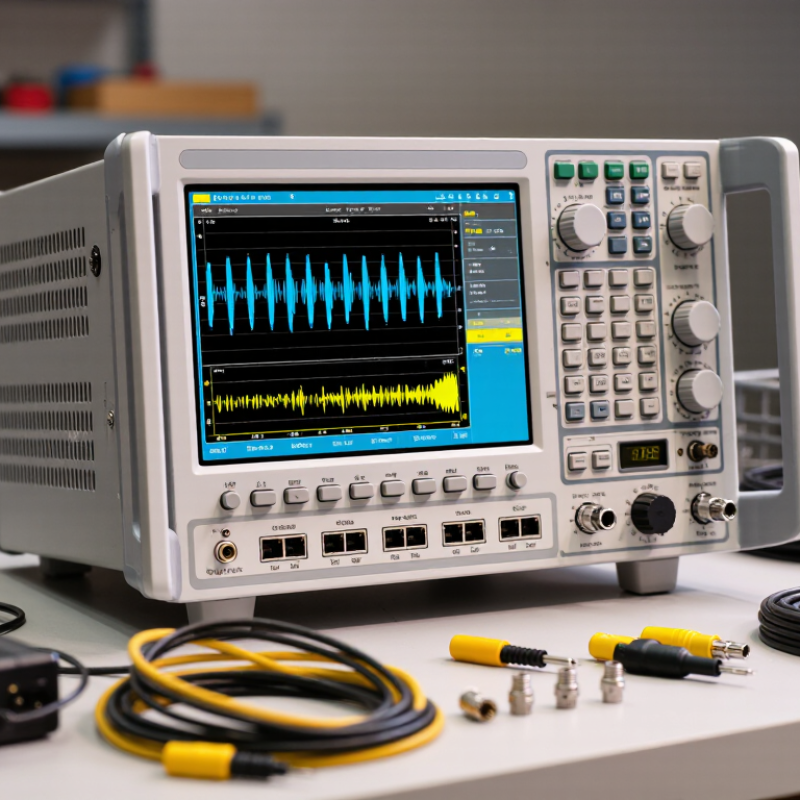
What a Used Wireless Network Analyzer Is and What It Measures
A used wireless network analyzer is a pre-owned instrument for examining radio signals and, on some models, wireless network behavior. Its exact role depends on its hardware, software, and supported frequency bands. An RF-focused unit displays signal strength, frequency, occupied bandwidth, and modulation characteristics. Some models can reveal noise, nearby interference, and channel use. That distinction matters.
A scan can reveal overlapping transmissions in a crowded 2.4 GHz office. A WLAN protocol analyzer may instead inspect packet timing, retries, data rates, and connection failures. These measurements help technicians distinguish weak coverage from congestion or configuration problems.
With used equipment, readings are only as dependable as the instrument’s condition. Check calibration status, connector wear, battery health, included antennas, and software compatibility before relying on results. A damaged cable can distort a measurement. Older devices may lack newer band support, and manuals are sometimes incomplete. That is inconvenient, but worth acknowledging. Compare readings with a known-good reference or a second instrument, especially when small signal differences could affect a decision.
Why China Is a Practical Source for Used Network Analyzers
China can be a practical source of used wireless network analyzers because its electronics supply chain supports equipment inspection, refurbishment, and export. For global buyers, this can mean more model choices and access to mature instruments at lower purchase prices. The ITU’s Facts and Figures 2024 estimates that 5.5 billion people, or 68% of the world’s population, were online. That expanding connectivity increases the need to test wireless coverage, interference, and network performance.
Used equipment may suit teams that need proven measurement functions without paying for the newest platform. Check more than the exterior condition. Ask for the unit’s serial number, operating hours if available, calibration records, and a recent self-test report. Confirm that required frequency ranges, analysis options, probes, and cables are included. Small details matter.
There is a trade-off. Older analyzers can have limited software support, worn connectors, or undocumented repairs. A low price can still hide an expensive mismatch. Before ordering, agree on test procedures, return terms, packaging, and shipping documentation with the supplier. Compare the delivered configuration against your measurement plan, not just the listing description.
How to Compare Models, Frequency Ranges, and Testing Functions
A used wireless network analyzer can be a practical choice for global buyers, but the right model depends on the signals you need to inspect. Start with its frequency range. A unit covering common wireless bands may suit routine site surveys, while specialized work can require wider coverage. Check the exact range in the manual, not just the listing title. Small gaps matter.
Compare testing functions next. Look for spectrum views, interference detection, channel occupancy measurements, and data export options. A clear display helps when checking readings beside an access point or in a crowded office. Ask whether the device includes its antenna, charger, and software access. Confirm that menus and exported files work for your workflow. Used equipment can have worn connectors or outdated firmware; photographs alone may not reveal either issue.
Tips: Request a recent power-on test and sample measurement. Inspect connector threads for dents, and ask about calibration history. If possible, compare a reading against a known working instrument. One caveat: older analyzers may still perform well, but replacement batteries and software support can be harder to find. Check availability before purchase.
How to Compare a Used Wireless Network Analyzer
The chart shows the standardized operating ranges commonly checked when evaluating a used analyzer for global wireless-network work. The 6 GHz range is subject to regional regulations, while actual instrument coverage depends on the analyzer's hardware and installed options.
| Testing function | What to verify on a used unit | Why it matters |
| Spectrum sweep | Frequency span, sweep speed, and displayed noise floor | Detects interference, harmonics, and unexpected emissions |
| Channel power | Support for channel bandwidths used by the target Wi-Fi band | Measures total power inside a selected channel |
| Occupied bandwidth | Measurement bandwidth settings and limit availability | Helps evaluate whether a signal fits its assigned channel |
| Waterfall or spectrogram | Record length, update rate, and data-export capability | Reveals intermittent and time-varying interference |
| Pre-compliance checks | Detector modes, reference-level accuracy, and calibration status | Improves confidence in repeatable field measurements |
Frequency ranges shown: 2.400–2.4835 GHz for the 2.4 GHz ISM band, approximately 5.150–5.925 GHz for commonly allocated 5 GHz WLAN segments, and 5.925–7.125 GHz for the 6 GHz WLAN range where permitted by local regulations.
How to Verify Condition, Calibration, and Seller Reliability
A used wireless network analyzer can look clean and still hide expensive problems. Ask for its exact model, serial number, accessories, and operating hours, if available. Request clear photos of the display, connectors, battery compartment, and calibration label. Scratches matter less than bent ports or a dim screen. Small details tell a story.
Ask the seller to demonstrate a live measurement, not just power-on. Check that the instrument detects a known wireless signal and displays stable readings. Compare its results with a second analyzer or a trusted reference source when possible. Request a recent calibration certificate, and confirm its date, covered frequency range, and laboratory details. A certificate without matching serial numbers is a warning sign. So is vague language about “factory checked.”
Seller reliability needs evidence, not reassurance. Look for a written return window, secure payment options, and answers that address your technical questions directly. Request a short video showing the startup screen and a measurement in progress. Keep all specifications and condition claims in writing. I once overlooked a missing adapter because the listing seemed thorough; it delayed testing by several days. That was my mistake. For international purchases, confirm voltage compatibility, included cables, and shipping protection before paying. A careful seller should welcome reasonable checks, even if the process takes another day.
How to Manage Pricing, Shipping, and After-Sales Support
For a used wireless network analyzer, compare the total landed cost, not just the seller’s asking price. Request a dated quotation showing the unit price, accessories, calibration status, packing, freight, insurance, and import charges. Ask for recent test results, including frequency coverage, measurement accuracy, and battery condition. Small omissions matter. A missing cable can delay field work, while an unclear calibration record makes performance harder to verify. The World Bank’s 2023 Logistics Performance Index assessed 139 economies across customs, infrastructure, and shipment timeliness. Its findings are a useful reminder: delivery reliability depends on more than the carrier’s headline rate. Confirm the shipping method, tracking, export documents, and who handles unexpected fees before payment.
After-sales terms deserve the same scrutiny as price. Get the warranty period, return window, repair process, and response time in writing. For a cross-border purchase, ask who pays shipping if the analyzer arrives faulty, and whether loan equipment is available during repair. Keep the serial number, inspection photos, and test report together. This sounds tedious, but it can save days of email. UNCTAD’s Review of Maritime Transport 2024 reported that global container trade grew only 0.3% in 2023, amid ongoing route disruptions. That context supports building realistic delivery buffers rather than promising a fixed arrival date. One weak point remains: remote troubleshooting cannot replace a hands-on inspection, so buyers should budget time for acceptance testing on arrival.



